Bought an ESET NOD32 license from Licono? Follow these three steps to activate it. You enter the code directly in the software, not through an ESET HOME account.
Download the installer using the button below, then open it on your computer. Follow the installation steps until ESET is installed.
When ESET asks how you want to activate, select “Use a purchased activation key”. Do not choose the ESET HOME account. The image below shows exactly which option you need.
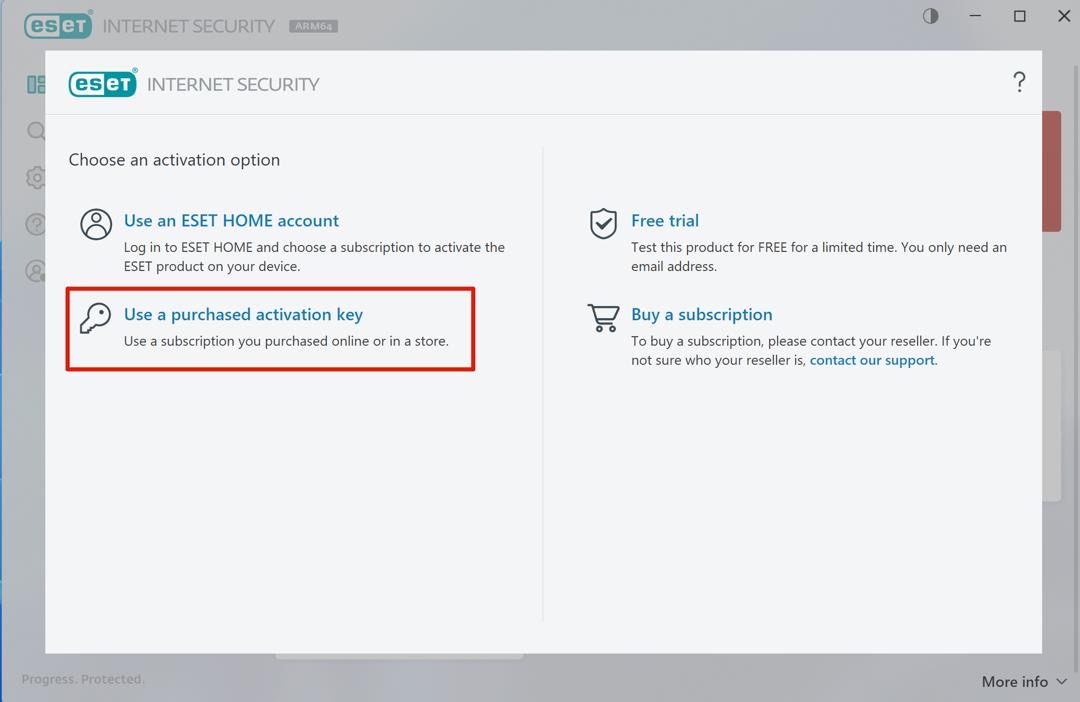
Enter the license code you received from us by email directly into the software. Note: This key cannot be linked to a my.eset.com account. Use it directly in the software.
Done! Your ESET NOD32 is now activated and protecting your device.
Stuck? Email us at info@licono.com, we are happy to help.
