Did you buy a Microsoft Office 2021 Professional Plus license from Licono and want to activate it? Below we explain step by step how it works. You receive an official license that is activated via Microsoft’s official method: fully legal, secure, and usually done within five minutes.
Download Office 2021 Professional Plus from one of the official Microsoft links:
Open the downloaded file and then run the “setup” file.

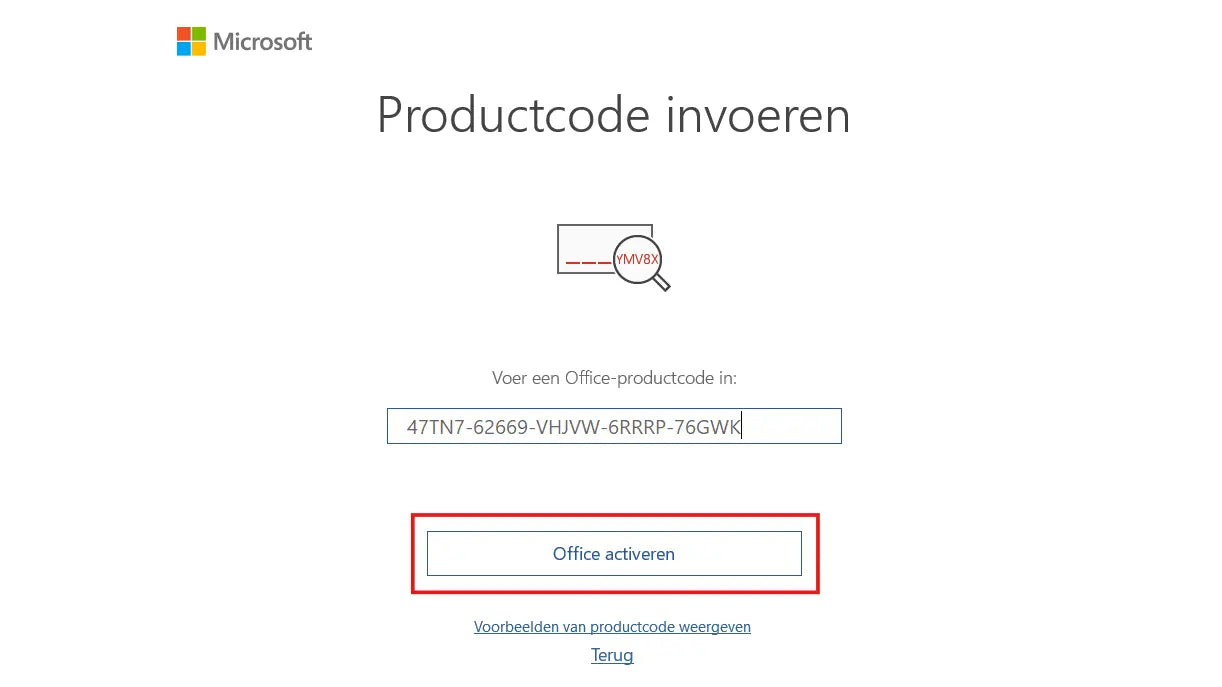
Open an Office app like Word. A screen will appear asking for a license code.
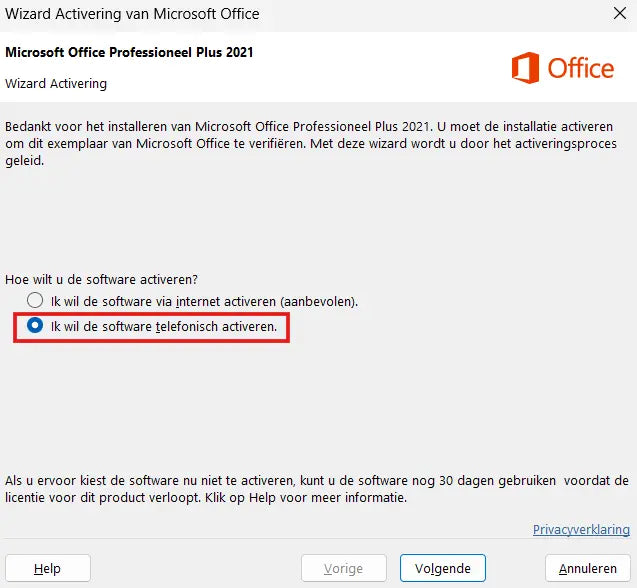
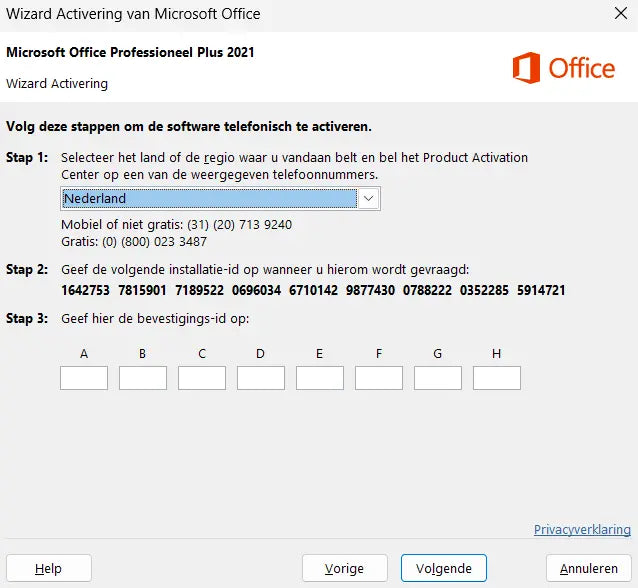
Select the option “I want to activate the software by telephone”. Office will now display your installation ID, a series of several groups of digits. Choose your country or region, for example United Kingdom or United States. You will then see a free Microsoft phone number.
Call the number shown on your screen. This is a free number. An automated assistant will ask if you want to receive the code via SMS. Answer “Yes”.
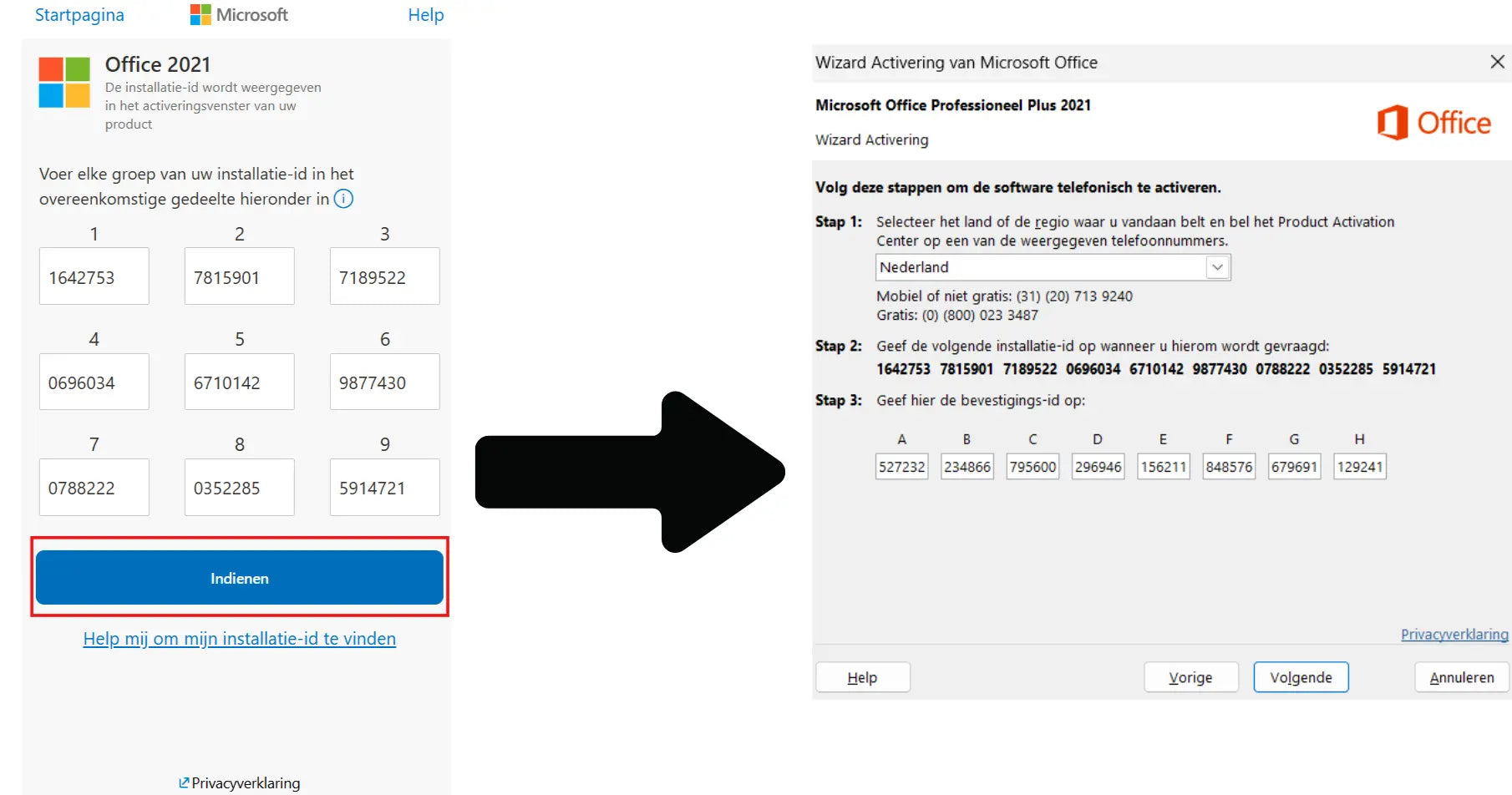
You will now receive a link via SMS. Open that link and choose in order:
Then enter your installation ID.
After entering the installation ID, you will receive a confirmation ID. Enter it in blocks. Your license is now activated and you can start using Word, Excel, Outlook, and other Office apps right away.
Stuck? We’re happy to help. Email info@licono.com and we’ll respond quickly, usually within a few hours during business hours.