

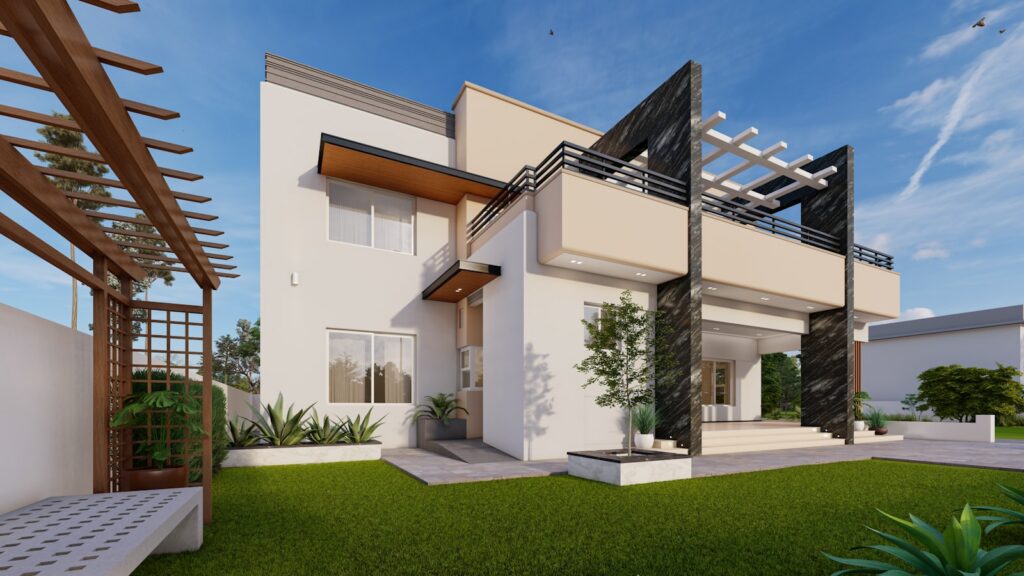
Do you need a render engine for SketchUp? The honest answer is: far more often not than the rendering industry would have you believe. SketchUp is strong at modelling, and whether you need a separate render engine on top of it does not depend on how impressive the examples online look. It depends on one question: are you selling the image, or are you selling the design?
Below I explain what a render engine does and does not do, when you genuinely need one, when you can do without, and how to choose if the answer turns out to be yes. Without the reflex that more expensive automatically means better.
What does a render engine actually do?
A render engine turns your SketchUp model into a photorealistic image or an animation. It calculates how light falls, how materials such as glass, concrete and wood behave, where shadows land and how reflections travel. The difference with SketchUp’s standard view is the difference between a technical sketch and a photo that looks as if the building already exists.
Well-known names are Enscape, V-Ray, Twinmotion, Lumion and Corona. They differ in how they work and who they are built for, but at their core they do the same thing: turn a model into a sellable picture. And that is exactly where the real choice sits, because a picture is not always what your client is buying.
What can SketchUp already do on its own?
More than people think, and it is rarely said out loud by parties who want to sell you a render engine. SketchUp has its own styles, shadow settings based on date and time, and section cuts that let you present a model clearly and convincingly. For conceptual, schematic and technical work that is often exactly enough.
What SketchUp does not do on its own is photorealism: no true light calculation, no soft shadows, no materials that shine the way they do in real life. As long as your audience does not expect or need that, its absence is no loss. A contractor who wants to see dimensions and construction has nothing to gain from a glossy evening shot; they want a clear drawing.
Do not underestimate the plug-ins that exist separately from a full render engine either. There are lightweight extensions that only soften your shadows or give your lines a sketched, hand-drawn look. For an exploratory presentation, such a sketch style often reads as more convincing than a half-finished photorealistic render, because a sketch signals that the design is not yet fixed and therefore invites input. Photorealism suggests everything has already been decided, and that is not always the message you want to send at an early stage.
When do you not need a render engine?
In more cases than you would expect. Skip the purchase if any of these apply to you:
- You mainly make technical models for production, execution or construction, where dimensions matter and atmosphere does not.
- Your presentations are informative and functional, meant to explain something rather than to seduce.
- Your client places no value on visual impact, or even sees the image as window dressing.
- You are still learning and want to master SketchUp itself before adding tools on top.
When is rendering worth it?
As soon as the image helps decide whether you win the job or sell the design. Then a render engine is not a luxury but a tool that pays for itself:
- Your client expects realistic visualisations and compares you with studios that do deliver them.
- Atmosphere plays a role in the sale, as with interior design, real estate and hospitality.
- You want to let a design be felt before it is built, to help the client make a decision.
How do you choose the right render program?
If the answer is yes, you do not have to take the most expensive or the most powerful package, but the one that fits the way you work. The most important dividing line runs between speed and ease on one side and maximum control on the other.
| Type | What it gives you | Who it suits |
|---|---|---|
| Inside SketchUp, live view (for example Enscape) | You see changes instantly, few settings, fast result | Anyone who wants to present quickly and does not want to become a rendering specialist |
| Powerful standalone engine (for example V-Ray or Corona) | Maximum control over light and materials, highest realism | Anyone who needs photorealism at the highest level and is willing to invest time in settings |
| Image plus environment and animation (for example Twinmotion or Lumion) | Atmosphere, planting, people, video | Anyone who sells whole scenes and walkthroughs, not just still images |
A good middle path for most SketchUp users is an engine that works directly inside SketchUp with a live view. You render while you model, see every change immediately, and get a realistic result without a course in light calculation. Anyone who later finds they want more control can always move up to a heavier engine.
What does rendering demand from your computer?
This is the cost that is missing from the brochures. Modelling in SketchUp runs on a modest laptop, but photorealistic rendering is calculation work, and calculation work demands hardware. The differences between engines run precisely along that line, and it is worth knowing where your machine stands before you buy a licence.
Broadly there are two camps. Engines that calculate on the processor run on almost any computer, but a heavy scene can then take minutes or longer per image. Engines that use the graphics card are much faster, but then you do need a solid, separate video card; on a laptop with only an integrated graphics chip you fall back to the slow path. A live view that lets you look around your model smoothly almost always requires such a separate card.
The practical lesson: factor the possible upgrade of your computer into the decision. A render engine your machine cannot handle costs you not only the licence but also a new machine, and then the bill is suddenly a multiple of what the website said. If in doubt, choose an engine with a free trial and test it first on your own computer with a real project, not with the vendor’s sample model. That sample model is optimised to impress; your project tells you whether it works in practice.
By field: what fits
The question “do I need this” has no general answer, but it does have an answer per profession. Where you work determines whether the image wins the job or is merely a nice extra.
If you work in interior or residential design, you sell atmosphere, and then a render engine is almost indispensable. A client choosing between two kitchens or two colour schemes decides on feeling, and a realistic image conveys that feeling in a way a floor plan never can. Here the licence pays for itself in won commissions, not in prettier pictures.
If you sit in the architectural or technical corner, it is the other way round. A site manager, a structural engineer or a permit officer wants dimensions, sections and clarity, and there SketchUp’s own styles are often stronger than a photorealistic render that softens exactly the lines that matter. Anyone who buys an expensive engine here pays for something their audience never asked for.
And if you work in landscape, urban planning or property development, you are often in the third camp: you sell not one building but a whole environment, sometimes as video or a virtual walkthrough. Then you need an engine that can handle planting, people, light through the day and movement, and that is a different and heavier tool than a single still render. So choose not on the individual feature but on what your end product has to be.
What does this really cost?
Add two things together, because they are usually quoted separately. First SketchUp itself: on sketchup.trimble.com, Pro was listed at 379 euro per year and Studio at 778 euro per year on 9 August 2026. Trimble states explicitly that the prices exclude VAT. On top of that comes a render engine, which has its own price and often its own subscription form.
That makes the question “do I need this” a cost question too. Adding a render engine because you can, while your clients never ask for it, is exactly the kind of expense that returns every year with no work to show for it. Buy it only when a commission or a client justifies it.
And as with all professional software: the list price is not the only rate. Part of these packages can be bought legally second-hand for less, provided you check the origin. What that rests on and how to recognise a reliable seller is set out in is second-hand software legal.
The mistake that costs money
The biggest error is not choosing the wrong engine, but buying one because the examples are beautiful and then discovering you barely use it. Photorealism is tempting to look at and a lot of work to make. A good render takes time: setting up materials, placing light, waiting for the calculation. Anyone who does not have that time to spare leaves an expensive licence idle.
So turn the question around. Not “how beautiful can I make it”, but “what does this client need in order to say yes”. Sometimes that is a photorealistic evening shot of a living room. Often it is a clear floor plan with a few good styles from SketchUp itself. The first costs you an engine and hours of work; the second costs you nothing extra.
There is also a hidden side you only feel after a few months: the learning curve. Operating a render engine well is a craft in itself. The first renders almost always disappoint, because beautiful light and convincing materials only come with practice. Count that run-in time, because a licence you never learn to operate produces pictures that look worse than SketchUp’s own styles, and then you have paid to do it less well. Anyone without the time to practise is often better off with the simple route or with a colleague who takes over the rendering.
If you are still working out which software fits your field at all, which Autodesk software suits you helps you make the same trade-off more broadly: choose on what you actually do, buy the smallest thing that covers it, and expand only when a job demands it. With rendering that advice is if anything even stronger, because here the temptation to buy for the picture is greatest.
What I would do
Start without a render engine, even if you suspect you will want one eventually. Work for a while with SketchUp’s own styles and shadows and watch what your audience responds to. If you notice you are losing jobs because your imagery cannot keep up with a competitor’s, that is the signal, and then you buy with purpose.
At that moment, choose an engine that fits your pace and not your admiration for other people’s renders. For most people that is the fast, SketchUp-integrated route; for those who truly live off imagery, the heavier engine with full control. And count the render engine into the total price of your SketchUp setup, so you know what you spend each year and on what.
Read also

Buying software the smart way?
Explore our genuine licences with instant delivery and support.