
What is Microsoft 365? A clear explanation
 By Daniel CostaOffice & productivity specialist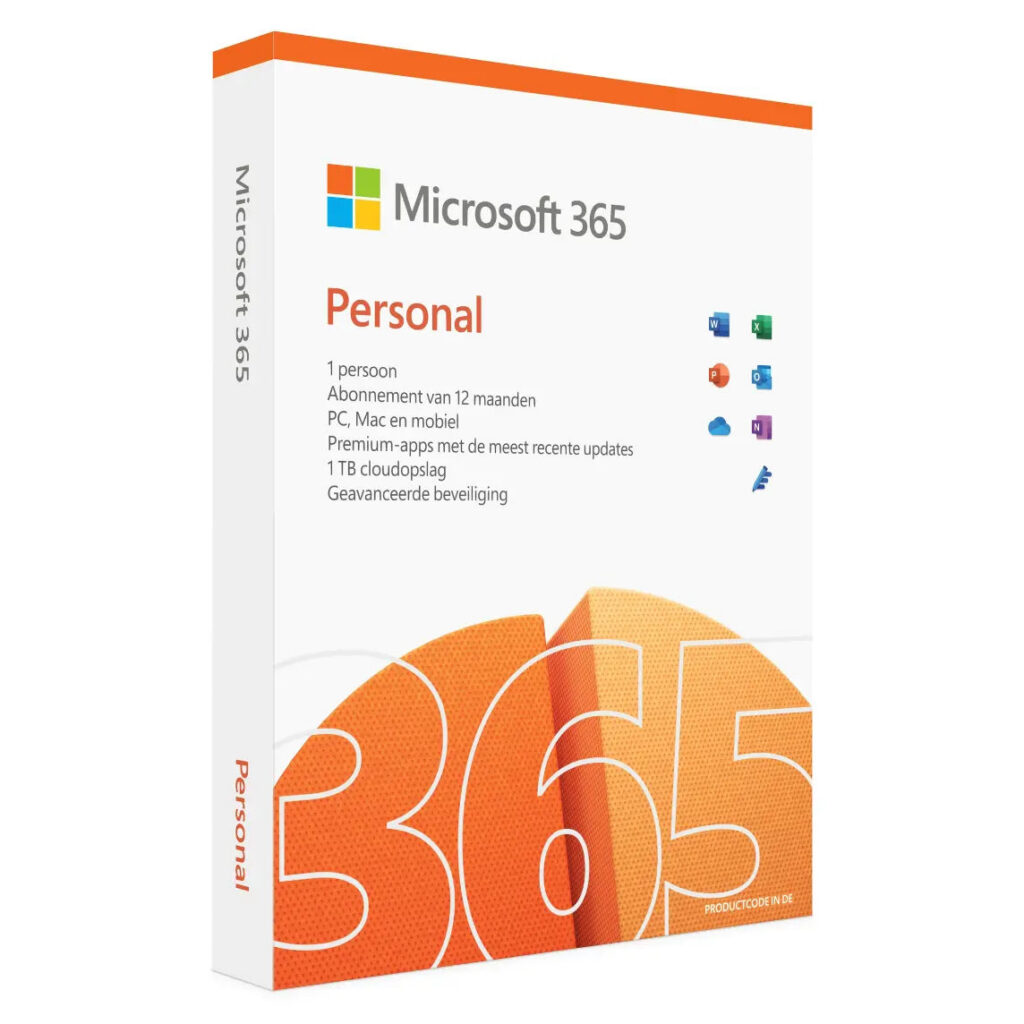
What exactly is Microsoft 365? In short: it is not a program you buy, but a subscription you rent. You pay per year or per month, and in return you get the familiar Office apps, storage in the cloud and ongoing updates. That sounds simple, but it is the very point where most of the confusion starts, because plenty of people think they are buying Office when in reality they are signing up for a subscription that stops the moment they stop paying.
In this article I explain what is inside Microsoft 365, how it differs from the classic Office you buy once, which subscriptions exist and who they are meant for, and when a subscription makes sense and when it does not. The aim is that you make a choice based on what you actually use, not on the name you hear most often.
What is in Microsoft 365?
Microsoft 365 is a package, not a single program. At its core sit the familiar Office apps: Word for writing, Excel for calculations, PowerPoint for presentations and Outlook for email and your calendar. That is the part people recognise, because those apps have been around for decades. The difference with the past is not what is inside, but how you pay for it and what sits around it.
Around those apps sits the rest of the subscription, and that is where the value has to come from if you pay more than you would for a one-off purchase. You get storage in the cloud through OneDrive, so you can use your files across several devices, and you get updates on a rolling basis: new features and security improvements arrive automatically for as long as your subscription runs. Some plans throw in extra services as well, such as added security or tools driven by artificial intelligence.
So the core idea is this: you are not buying one version that stays put for years, you are renting the latest version plus the services that come with it. As long as you pay, you always have the current software and your files within reach. Stop paying, and you lose the editing features of the apps and keep only the ability to open your files and look at them. That distinction is the single most important trait of a subscription, and it is forgotten far too often.
Subscription or one-off purchase?
This is the real crossroads, and Microsoft offers both. Alongside Microsoft 365 as a subscription, there is still an Office you buy once, now sold as Office Home. That difference decides almost everything: the price, what you get and how many years you can get out of it.
| Microsoft 365 (subscription) | Office Home (one-off) | |
|---|---|---|
| Payment | Per year or per month | Once |
| Updates | Ongoing, always the latest version | Security only, no new features |
| Cloud storage | Yes, through OneDrive | No |
| Does it stop working? | Yes, if you stop paying | No, it keeps working |
| Price | From €99.00 per year | €149.00 one-off |
The rule of thumb is simpler than the marketing suggests. If you want the newest features, use the cloud and work across several devices, the subscription fits. If Word, Excel and PowerPoint as they are now are enough for you and you would rather not pay every year, the one-off purchase is often cheaper across several years. I go into this in more depth in Office 365 versus Office 2021, where I put the two side by side.
Which subscriptions are there?
Microsoft 365 comes in two worlds: one for home and one for business. They look alike but are built for different situations, and picking the wrong one means you pay for things you do not use, or you miss something you actually need.
For home: Personal, Family and more
The home plans are meant for private use. Microsoft 365 Personal is for one person and cost €99.00 per year on microsoft.com on 8 August 2026. The Family version is for a whole household and cost €129.00 per year; you share it with several people, which works out cheaper per person. On top of that there is a broader home plan with extra features, including tools driven by artificial intelligence, which cost €219.00 per year.
For most people at home, Personal or Family is plenty. The difference is mainly the number of people allowed to use it, not the apps themselves. So choose on your household: if you live alone, Personal is the sensible option; if you share it with your family, Family is almost always the cheaper sum, because you spread the cost across more people. Be honest with yourself about the broader plan too, because the step up in price is not small, and the extra you pay only earns its keep if you genuinely use the added features rather than paying for the label.
For business: the business plans
The business plans go by different names and cost more, but they also offer more: business email on your own domain name, stronger security, user management and team services for working together. They are billed per user per month. For a company they are meant to deliver not just Office, but the whole digital workplace.
The trap here is using a home plan for business because it looks cheaper. The terms usually do not allow that, and on top of it you miss the business features that were the point in the first place, such as email on your own domain and central management. If you genuinely operate as a company, choose a business plan; if you use Office at home for private matters, a home plan is exactly right.
Why did Office become a subscription?
It helps to understand why Microsoft went this way, because then you also grasp what you are and are not buying. In the past, a new Office version turned up every few years and you bought it outright: Office 2010, 2013, 2016. Once you had bought it, you sometimes used that version for ten years without ever paying for anything new. For Microsoft that meant uneven income and users who sat on old, less secure versions for years.
The subscription solves that for Microsoft: steady, recurring income and users who are always on the latest version. For you as a user, the gain is that you never have to buy a big version jump again and that updates arrive on their own. The downside is that you keep paying for as long as you use the software, and that you do not make the choice once but every year afresh. Whether that is an advantage or a drawback depends entirely on how heavily you use Office.
Worth knowing: the subscription is not compulsory. Microsoft deliberately keeps a buy-once Office in the range, precisely for the people the subscription does not suit. The shift to subscriptions is therefore a change in what Microsoft recommends and promotes most, not the disappearance of the outright purchase. That distinction gets buried in the advertising, but it is exactly the choice you are free to make yourself.
Do you need internet for Microsoft 365?
Partly, and this surprises people who assume everything happens online. You install the Microsoft 365 apps on your computer in the normal way and they work offline: you can work in Word and Excel with no connection. What does need a connection is the check on whether your subscription is still valid; that happens periodically in the background. If you stay offline too long, Office switches to a limited mode until you connect again.
On top of that you need internet for the cloud services: saving to OneDrive, working together in a file and syncing between devices. Anyone who does not use those things notices little of the cloud and, in practice, simply works locally. Anyone who does use them draws most of the subscription’s added worth from exactly there. Seen this way, the internet question is really the same question as before: do you use the modern, connected side of Office, or only the apps themselves?
What does it cost, and can it be cheaper?
You now know the official prices: the home subscription starts at €99.00 per year, and the one-off Office Home cost €149.00. Put those two numbers side by side and they already tell a story: €149.00 once against €99.00 every year means the buy-once version has roughly paid for itself, on price alone, by the time you are into a second year, and every year after that costs you nothing while the subscription keeps billing. But the list price is not always the only rate. For the buy-once versions there is a legal second-hand market: a perpetual Office licence that the previous owner no longer uses may be resold within the European Union, often for a good deal less than new.
None of that applies to the subscription. A subscription is tied to an account and a term, and it does not fall under that second-hand rule; so anyone offering you a cheap second-hand 365 key is selling you something that does not add up. If you want to save on the subscription, you do it by picking the right version, by paying yearly instead of monthly, or by sharing the Family version, not by chasing a dubious key.
If you are mainly after the cheapest way to have Office, the real question is whether you need the subscription at all. For anyone who is happy with the apps without the cloud and the yearly new features, the one-off purchase is cheaper across several years. What that purchase involves exactly, and how many years you can get out of it, is set out in is Office 2021 a one-off purchase.
Is Microsoft 365 right for you?
That depends on how you work, not on how well known the name is. The subscription is the right choice if you value always having the newest version, if you genuinely use the cloud storage and work across several devices, or if you need the extra services that come with it. Then you are not paying for software alone, but for a whole that makes your work run more smoothly, and the yearly price is worth it.
The subscription is not the best choice if you use Office sparingly, leave the cloud untouched and would rather not pay every year. Then you keep paying for features you never touch, and the one-off purchase or a legal second-hand licence is the wiser call. There is nothing wrong with plain old Office if that is what you need; the newest version is not automatically the best version for you. And if you already own an older Office that still opens and edits your files well enough, there may be no pressing reason to pay anything at all this year.
The thinking mistake that costs money is taking a subscription because everyone has one, then only opening Word and Excel the way you did ten years ago. In that case you pay every year for the cloud and the updates you do not use. So look first at what you actually do with Office. If you use the modern side, take the subscription; if you use only the basics, buy once. That way you pay for what you use and not for the name.
A handy in-between step is to ask yourself three questions before you choose. Do I work on more than one device on the same files? Do I really need the newest features, or have I been doing the same thing for years? And do I like paying every year, or would I rather pay once and be done? Answer those honestly and the choice almost falls out on its own, and you notice that the pricey marketing around Microsoft 365 is often about features you may not use at all.
Read also

Buying software the smart way?
Explore our genuine licences with instant delivery and support.